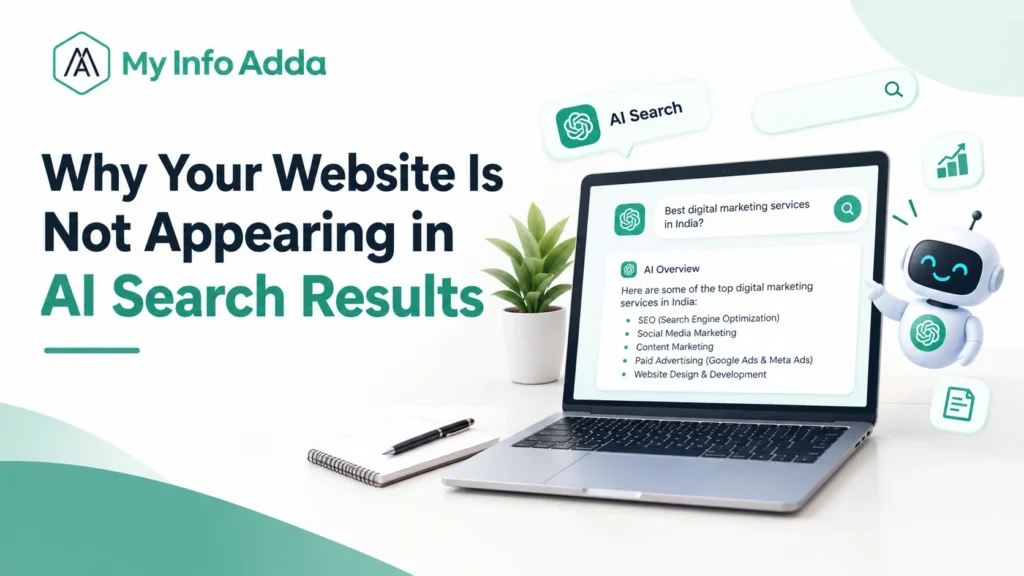

You’ve probably already optimized your website for Google, published helpful content, and checked your keyword rankings, yet your website may still be missing from AI-generated answers. The problem could involve indexing, crawler access, content relevance, or how different platforms retrieve information. In this guide, you’ll learn why your website is not appearing in AI search and how to troubleshoot the issue with a practical SEO checklist.
Key Takeaways
- AI search presence tracks how frequently a website appears, gets mentioned, linked, or referenced in AI-generated responses.
- Google rankings do not guarantee visibility in ChatGPT, Perplexity, Google AI Overviews, or Grok.
- Technical SEO problems, including unintended noindex tags, blocked crawlers, and server errors, can limit discoverability.
- Helpful content with direct answers, reliable evidence, and original insights can improve relevance.
- AI visibility monitoring combines manual testing, analytics, indexing checks, and citation tracking.
- Regular audits help identify genuine problems without assuming every missing citation indicates a technical issue.
What Does It Mean When a Website Is Not Appearing in AI Search?
AI search visibility means how well a website can be found, talked about linked to or quoted in answers made by AI-powered search tools.
Platforms like ChatGPT, Perplexity, Google AI Overviews and Grok may pull information in ways and choose different sources. So even if your website shows up in Google results it might not appear at all in an AI-generated answer about your field.
AI visibility includes three outcomes:
- Brand mentions: An AI answer names your business or website.
- Citations: An answer references your content as a source.
- Referral visits: Users follow links from AI platforms to your website.
Why Does AI Search Visibility Matter for Websites?
AI search visibility opens up ways for people to find your brand, your expertise, your products and your content.
For instance a website that shares marketing guides might get mentioned when someone asks an AI tool how to do a technical SEO audit. That mention could bring the site in front of people who are looking for that kind of information.
Still traditional SEO matters as much. Search engines are still the way users find and reach web pages. AI search adds another path, for discovery.
It cannot replace proper indexing, valuable content or solid organic search performance.
It just adds another way to be seen.
Why Is My Website Missing From AI-Generated Answers?
Websites may be missing from AI answers because of accessibility problems, weak relevance, limited original information, or platform-specific retrieval behavior.
Common reasons include:
- Important pages are not indexed or internally linked.
- Robots.txt rules or server restrictions block relevant crawlers.
- Content does not answer user questions directly.
- Competitors provide more useful, current, or better-supported information.
- Important content depends on JavaScript rendering.
- Related articles lack clear topical connections.
- The website has few trustworthy external references.
- AI visibility has not been monitored consistently.
For example, a page about local SEO might discuss services generally but omit practical information about Google Business Profile optimization. A more specific competitor page may better answer the user’s question.
Does Ranking on Google Guarantee Visibility in AI Search?
No, ranking on Google does not guarantee that a website will appear in AI-generated answers.
Traditional search rankings and AI citations are different outcomes. AI-generated answers depend on the query, available sources, retrieval methods, and the platform’s response.
For example, a page ranking fifth for a keyword might be cited in one AI answer, while a page ranking first might not appear in another.
How Can I Check Whether My Website Appears in AI Search?
You can check AI search visibility by testing relevant questions across multiple platforms and recording brand mentions, citations, and linked pages.
Follow these steps:
- Select 10–20 relevant questions your target audience might ask.
- Include informational, comparison, troubleshooting, and brand-specific queries.
- Test the same questions in ChatGPT, Perplexity, Google AI Overviews where available, and Grok.
- Record whether your brand appears and whether a relevant page receives a citation.
- Repeat the tests monthly using comparable queries.
For example, a marketing agency could test “How do I choose an SEO agency in Indore?” and verify if its website is listed in the referenced sources.
Important: A missing citation in one response does not prove that your website has a technical problem.
Which Technical SEO Issues Can Affect AI Search Visibility?
Technical SEO issues can prevent search systems from discovering, accessing, or understanding important website content.
Use this troubleshooting checklist before making major content changes.
| Technical check | What to investigate |
| Robots.txt | Unintended crawler restrictions |
| Indexing | noindex directives and Google indexing status |
| Canonical tags | Incorrect preferred page URLs |
| XML sitemap | Missing or outdated important URLs |
| Server responses | 404 errors, 5xx errors, and redirect chains |
| JavaScript | Content missing from rendered pages |
| Internal links | Important pages with few or no links |
| Structured data | Incorrect markup or information that conflicts with visible content |
How Can I Improve My Website’s Visibility in AI Search Results?
You can improve website discoverability by fixing technical barriers and publishing clear, useful, evidence-based content.
Prioritize these actions:
- Answer questions directly: Place a concise explanation near the beginning of each important page.
- Use descriptive headings: Match headings to genuine user questions.
- Add original value: Include practical examples, first-hand experience, comparisons, and verifiable evidence.
- Build topic coverage: Connect related articles using meaningful internal links
- Strengthen internal linking: Use descriptive anchors to help readers and crawlers discover important pages.
- Ensure accuracy: Refresh old information and credit authors when necessary.
- Use relevant schema markup: Ensure structured data accurately represents visible page content.
For example, an article explaining website indexing should define indexing, demonstrate how to check it in Google Search Console, and explain common errors.
These improvements can make content easier to interpret, but no SEO technique guarantees an AI citation.
Which Tools Can Measure AI Search Visibility?
AI search visibility measurement combines technical SEO tools, analytics, manual testing, and available citation-monitoring platforms.
| Tool | Primary purpose |
| Google Search Console | Indexing, impressions, clicks, and search queries |
| Google Analytics 4 | Referral traffic, landing pages, and conversions |
| Bing Webmaster Tools | Bing crawling and indexing diagnostics |
| Screaming Frog | Status codes, canonicals, indexability, and internal links |
| Server logs | Investigating crawler requests |
| Manual AI testing | Recording mentions, citations, and linked pages |
To track AI search traffic in Google Analytics 4, open Reports and inspect traffic acquisition data. Look for identifiable referrals from AI platforms, then review landing pages and engagement.
However, referral reporting may miss visits when sources are not passed through, and manual tests cannot capture every AI response.
What’s Next? How Should You Fix and Monitor AI Search Visibility?
The best way to improve AI search visibility is to resolve verified technical problems first, improve important content, and measure changes consistently.
Use this prioritized action plan:
- First: Confirm important pages return successful HTTP responses.
- Second: Check indexing directives, canonical tags, robots.txt, and sitemap accuracy.
- Third: Improve content clarity, accuracy, originality, and question coverage.
- Fourth: Strengthen internal links and connect relevant supporting articles.
- Fifth: Record baseline AI mentions, citations, and referral traffic.
- Sixth: Repeat your selected query tests monthly.
- Seventh: Prioritize changes based on evidence instead of adopting every AI SEO recommendation.
Conclusion: Improve Discoverability Before Chasing AI Citations
If a website does not appear in AI search you need an investigation, not a pile of untested tricks. First check the website’s accessibility, how the website is indexed the links on the website and the quality of the content. Next run the queries, on several AI platforms and watch how many times the website is cited, while also looking at the website’s normal SEO results and referral traffic.
The important thing is to keep the website useful and technically easy to reach. By testing the website you can see what still needs improvement but you should not expect the website to appear in every AI answer.
FAQs: Website Is Not Appearing in AI Search
1. Why is my website not appearing in AI search?
Your website may be missing from AI search because of indexing problems, crawler restrictions, weak content relevance, limited original information, or insufficient topical coverage. Check technical SEO issues and ensure your important pages provide clear, helpful answers.
2. Does ranking on Google guarantee visibility in AI search?
No, ranking on Google does not guarantee inclusion in AI-generated answers. AI platforms may use different retrieval systems, sources, and selection methods when generating responses.
3. How can I check whether my website appears in AI search results?
Test relevant questions in ChatGPT, Perplexity, Google AI Overviews, and Grok. Track company mentions, website references, and linked URLs, then rerun these checks regularly to measure changes.
4. Can robots.txt stop AI search crawlers from visiting my website?
Yes, robots.txt can block crawlers that respect its rules.
5. Do noindex tags affect AI search visibility?
Yes, a noindex directive can prevent eligible search engines from indexing a page when they can access and process that directive. Check important pages for accidental noindex settings and verify their indexing status.